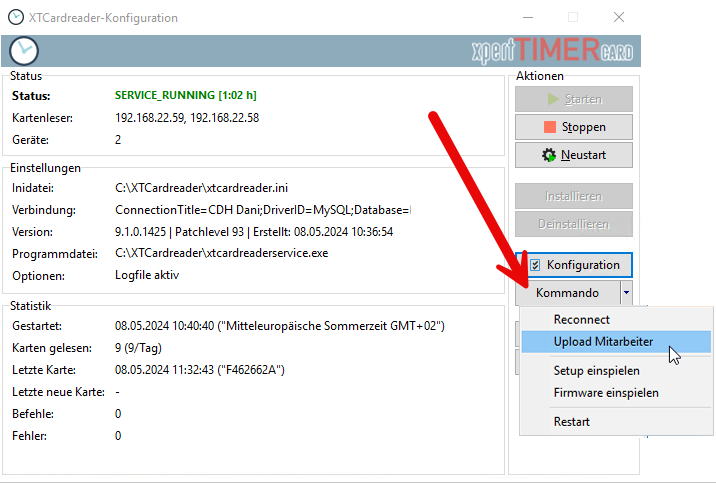
The XTCardreader provides several commands. These commands allow you, for example, to activate new transponders. When you read a new transponder for the first time using the “Check In” command, the terminal creates a list. Send this list to your XTAze system using “Upload Employees”. In XTAze, assign the transponder number to the corresponding employee.
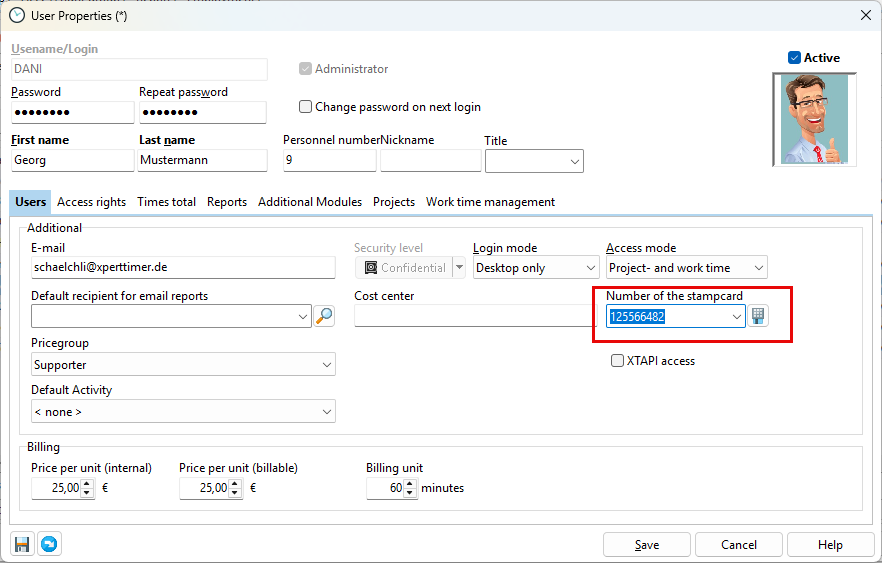
Assign the transponder or time card in Employee Management. Open the Employee Data dialog by double-clicking the employee in the employee list, then switch to the “Employee” tab.
Only after this assignment can the terminal correctly assign recorded time stamps.