Once the working time module has been activated, an additional tab called “Time Tracking” becomes available in Employee Management.
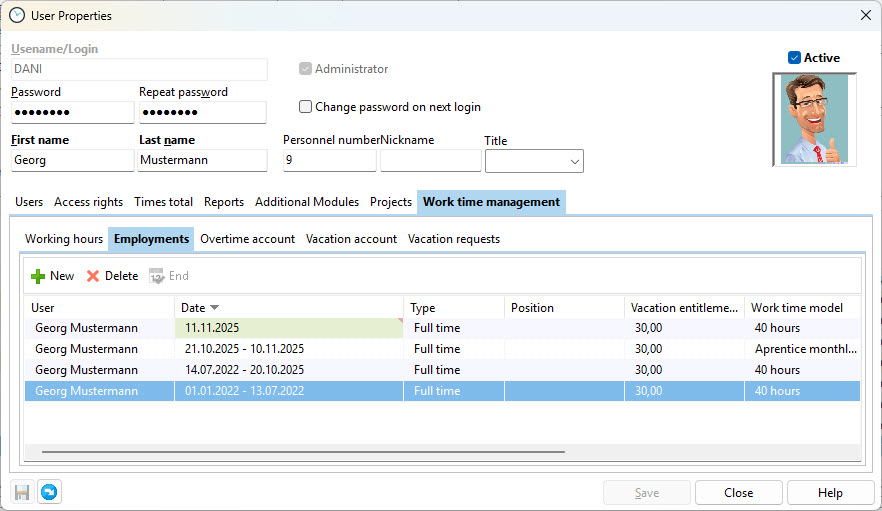
In this tab, you create the employment record. It contains information such as vacation entitlement, working time model, supervisor, and more. This data is required for background calculations. Please make sure to complete all fields carefully, as calculations are only performed correctly when the information is complete.
As soon as working times have been recorded for an employment, the assigned working time model should no longer be changed. If the working time model changes, for example from a 40-hour week to a 35-hour week, create a new employment record with the corresponding validity period. Leave the end date of the current employment open.
Details of the “Edit Employment” dialog.

Employment Type |
Select whether the employee is employed full-time or part-time. |
Start / End |
Enter the employment start date here. If the employee’s working time model changes during their employment, you must create a new employment record to ensure that all calculations remain correct. |
Annual Vacation |
When initially using the software or when changing the working time model, enter the contractual annual vacation, any remaining vacation days, and overtime that should be taken into account. |
Working Time Model |
Select the previously created working time model that applies to the employee. Alternating weeks: If employees work alternating weekly schedules, for example one week with 40 hours and the next week with 30 hours, you can assign both working time models here.
|
Position |
This field is for information purposes only. |
Supervisor |
Assign a supervisor who is authorized to approve vacation requests and working times. |
Public Holiday Calendar |
Select the public holiday calendar that applies to the employee. You can customize the calendar individually in the configuration. |
Location |
If you need to distinguish whether an employee works, for example, from home or at a specific branch, define this here. (Not available in version 1). |
Department |
If you differentiate time tracking by departments, assign the department here. (Not available in version 1). |
Comment |
Free text field for additional information about this employment. |
