The overtime account displays the currently open overtime hours (field “Overtime”). The displayed open hours (“Open”) are overtime hours that belong to months which are not yet in the status “Closed”. When using automatic month-end closing, you can usually ignore these values, as older overtime should already be settled.
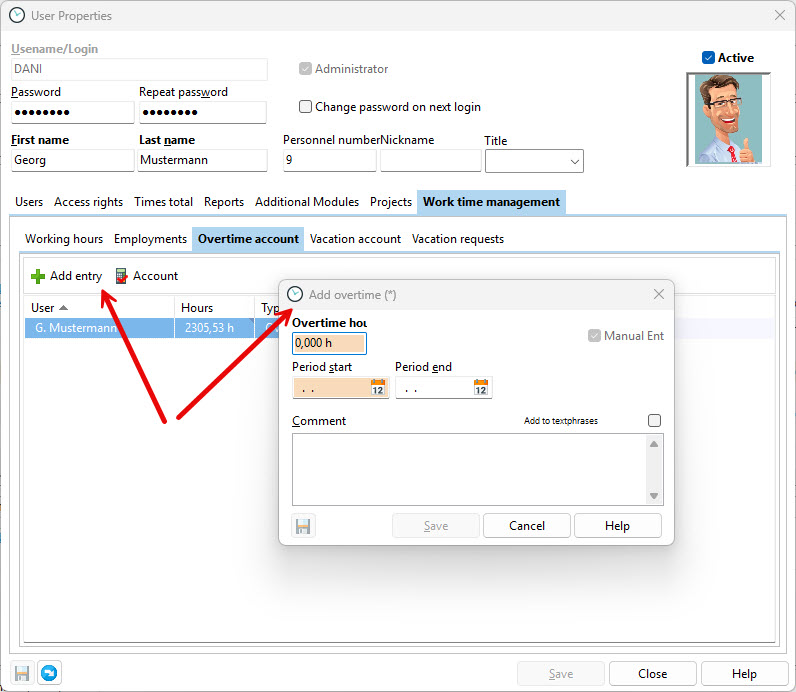
You can manually add overtime if you start using the system during an ongoing calendar year. Book any previously accumulated overtime or undertime in the first month in which Xpert-Timer is used. Deductions can also be made by entering negative values.
Example:
Mr. Schleicher starts using Time Tracking in Xpert-Timer on September 1. He still has 15 overtime hours remaining from earlier in the year. In the system, create the booking for the month of September, as Mr. Schleicher’s employment is valid from September onward. The overtime hours will then be taken into account during the calculation after September has been closed.
The specified overtime period and the comment are for informational purposes only.
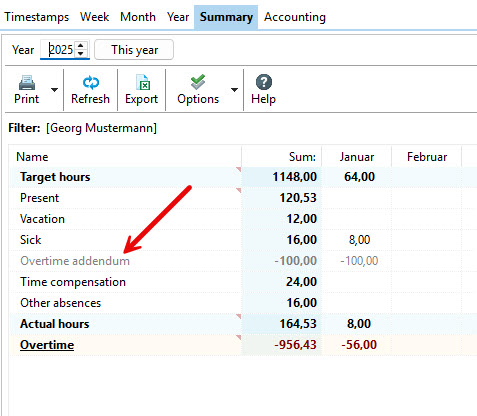
This overtime manual entry is displayed for information purposes in the “Summary” tab of the reports. The overtime manual entry is informational only and is currently not included in the total overtime balance.