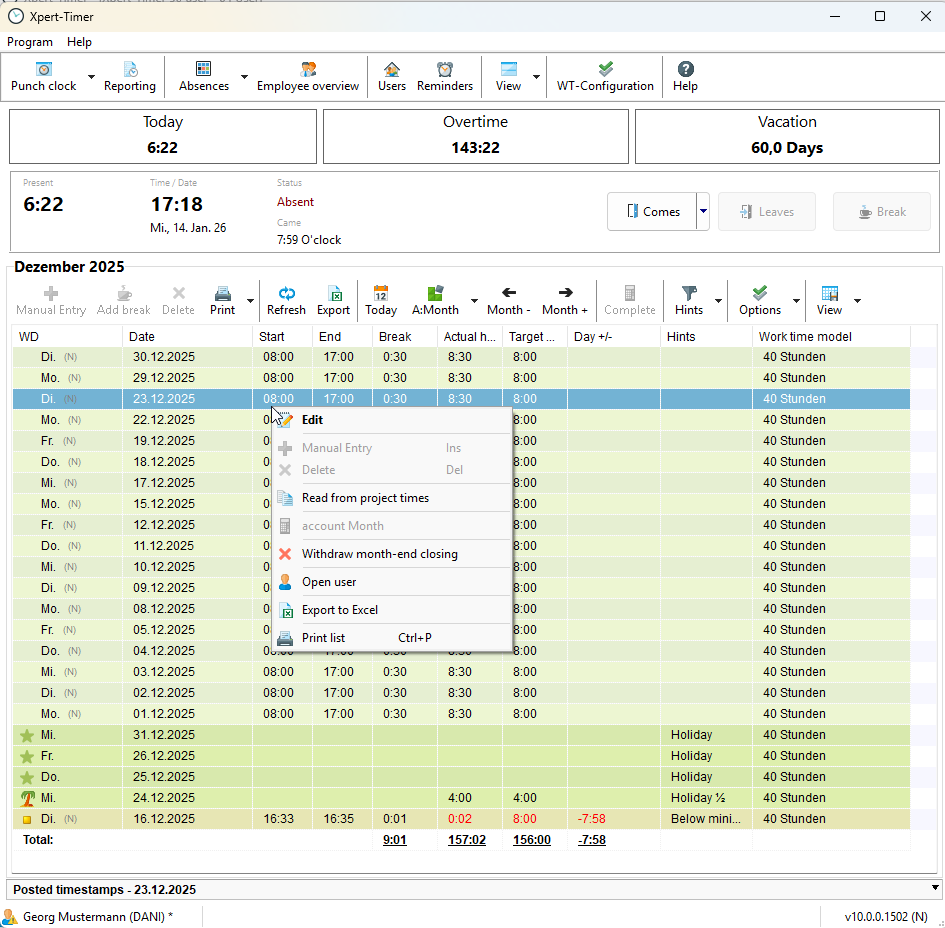
If you want to use an approval process for recording working times within your company, you can enable this feature in Xpert-Timer.
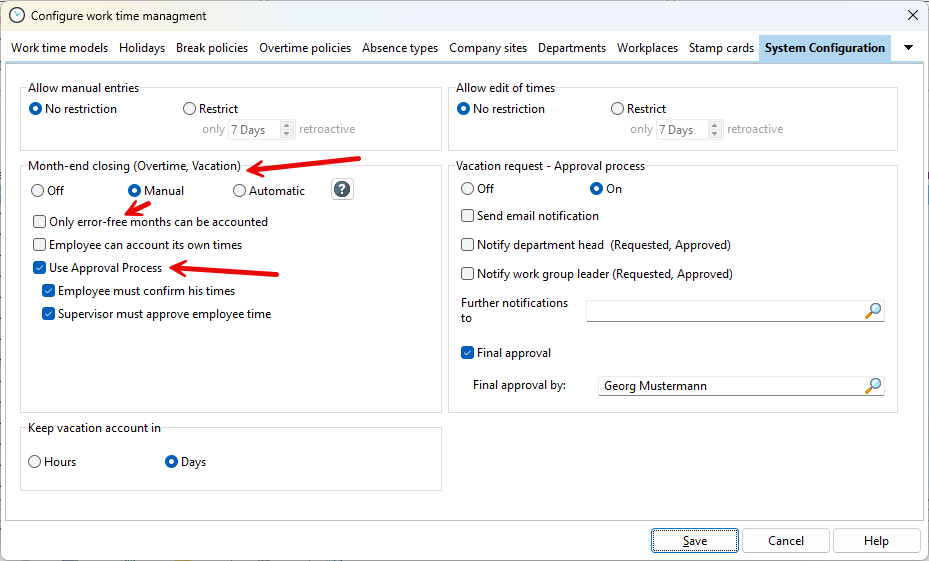
To do so, open the configuration and activate the approval process in the “Month-End Closing” section. Set the processing mode to “Manual”.
The approval process allows you to require employees to confirm their recorded working times. Alternatively, HR can confirm and process (payroll) the times directly during payroll processing. Supervisors can also be required to approve the confirmed working times of their employees.
When using the approval process, it is common practice to require both employee confirmation and supervisor approval. Enable both options during setup:
- Employee must confirm their working times
- Supervisor must approve employee working times
The responsible supervisor is assigned in the employee’s Employment record.
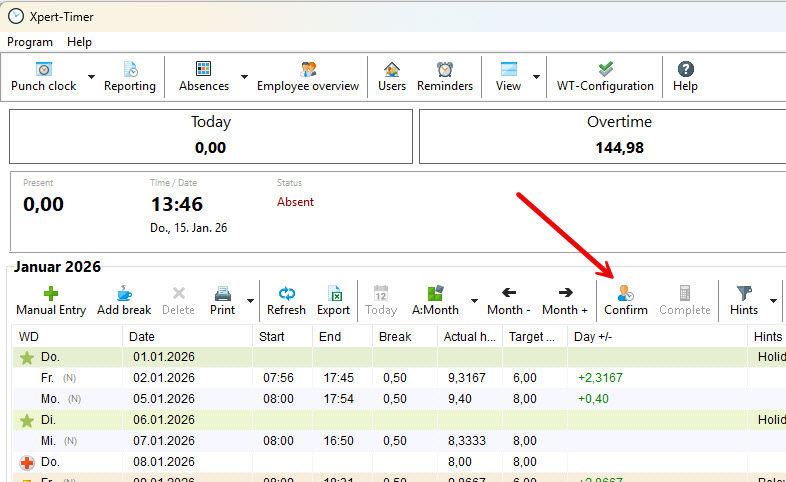
After completing the configuration, employees record their working times throughout the month. At the end of the month, they confirm their recorded working times.
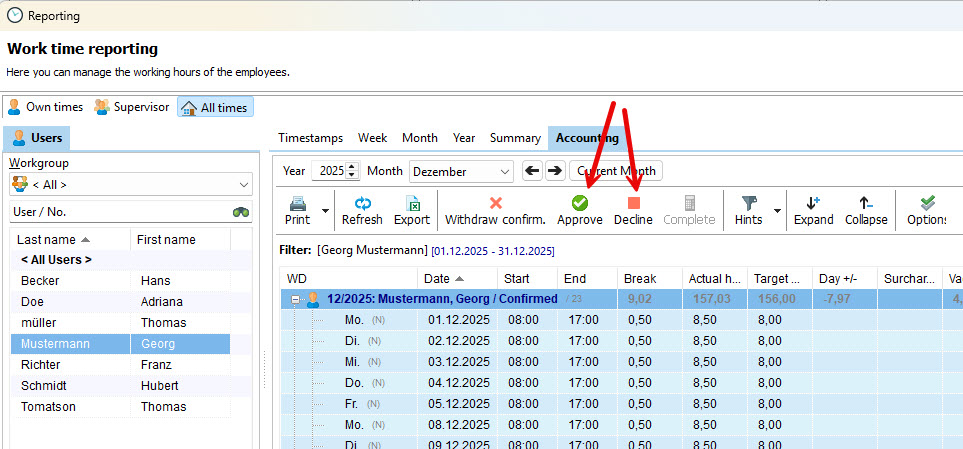
The confirmed working times then appear in the overview of the supervisor assigned in the employment record.
The supervisor approves these working times and forwards them to the HR department.
Finally, the HR department sets the recorded working times to the status “Payroll processed”.

Approved and closed working times can no longer be edited. Changes are only possible after the supervisor reopens the month-end closing. Right-click on a closed month and select “Reopen Month-End Closing”.