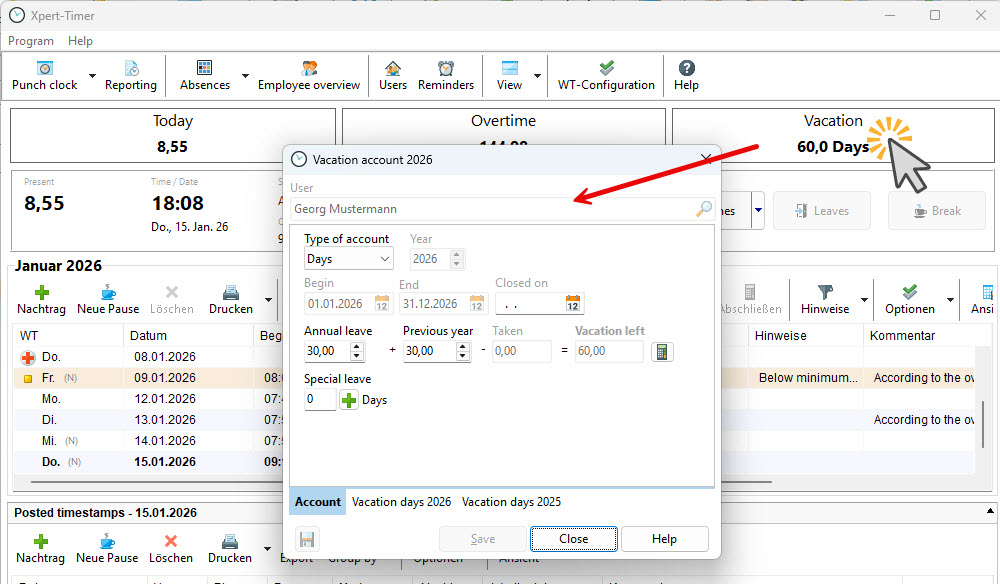
To open the vacation account, click the “Vacation Account” view in the Time Tracking Center. This opens the overview of your vacation days.
Here you can see the annual vacation entitlement, remaining vacation days carried over from the previous year (positive or negative), the days already taken, and the calculated remaining vacation balance.
At the beginning of a new year, the vacation account is automatically closed and settled. Any remaining vacation days are then carried over to the new year. The new vacation calendar for the new year is created automatically when an employee submits a vacation request or when the year change takes place.